AI動画を生成しているけど、思い通りの映像にならない——その原因の9割はプロンプトにあります。
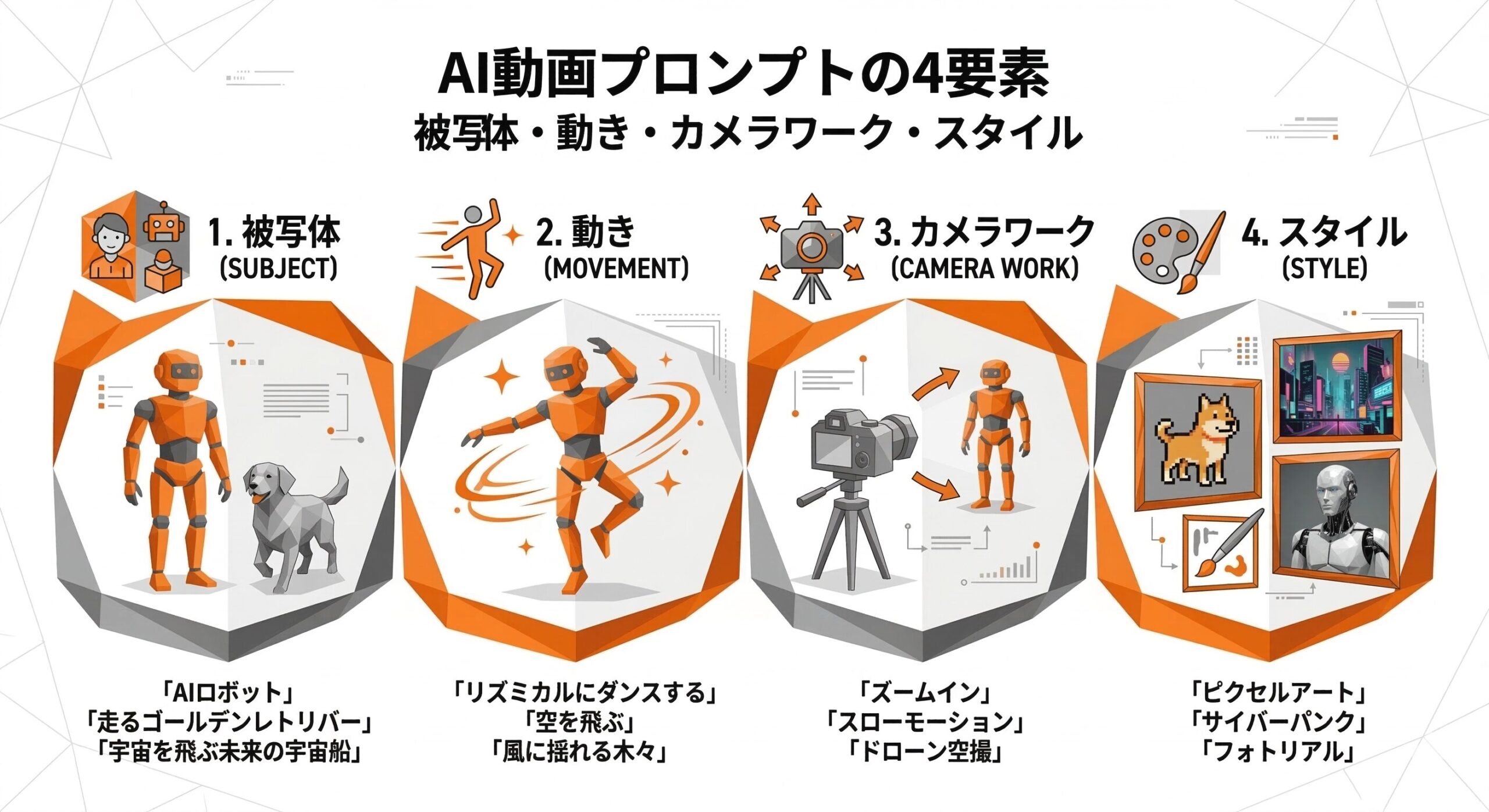
結論から言うと、AI動画のプロンプトは「被写体+動き+カメラワーク+スタイル」の4要素を揃えるだけで品質が格段に上がります。
▶ 生成AI動画の作り方2026|初心者でもわかるAI動画制作の完全ガイド
AI動画プロンプトの基本構造
AI動画生成ツールは、プロンプトの情報量と具体性に比例して品質が上がります。最も効果的な基本構造は以下の通りです。
[被写体・シーン描写] + [動き・アクション] + [カメラワーク] + [ライティング・色調] + [スタイル・雰囲気]各要素の詳細
被写体・シーン描写(最重要)
何を、どこで、どんな状況で撮るかを具体的に記述します。「人物」より「スーツを着た30代の男性」、「都市」より「夜の渋谷スクランブル交差点」のように詳細にするほど良いです。
動き・アクション
映像に動きを指定します。static(静止)な映像を防ぐために必ず入れましょう。
カメラワーク
これを入れるだけでプロっぽい映像に変わります。
| カメラワーク | 効果 |
|---|---|
| drone shot / aerial view | 空撮・スケール感 |
| close-up / macro | 細部の強調 |
| tracking shot | 被写体を追跡 |
| pan shot | 水平移動 |
| dolly zoom | 背景が変わる印象的な演出 |
| POV shot | 一人称視点 |
ジャンル別プロンプトテンプレート30選
自然・風景
Aerial view of Japanese cherry blossom forest, petals falling in slow motion, golden hour sunlight, drone shot, 4K cinematic qualityOcean waves crashing on rocky coastline, dramatic storm clouds, wide angle shot, moody cinematic atmosphere, slow motionNorthern lights dancing over snowy mountain peaks, night sky full of stars, wide angle lens, time-lapse, vibrant colors都市・建築
Tokyo Shibuya crossing at night, heavy rain, neon reflections on wet streets, cinematic wide angle, 4K qualityFuturistic city skyline at sunset, glass towers reflecting orange sky, aerial drone view, cinematic pan shotビジネス・テクノロジー
Advanced AI data center, rows of servers with glowing lights, cool blue lighting, slow tracking shot, futuristic aestheticNeural network visualization, glowing nodes connecting, data flowing, dark background, neon blue and purple colors, smooth animation食・料理
Close-up of steaming ramen bowl being prepared, slow motion broth pour, warm restaurant lighting, food commercial style, 4KArtisan coffee pour over in slow motion, steam rising, warm bokeh background, lifestyle aesthetic抽象・コンセプト
Abstract liquid metal flowing and morphing, silver and gold colors, macro lens, smooth animation, product advertisement styleHuman brain with neural connections lighting up, blue glowing synapses, dark background, scientific visualization styleプロンプトを劇的に改善する7つのテクニック
テクニック①:ネガティブプロンプトを活用する
Negative: blurry, low quality, watermark, text overlay, distorted faces, unrealistic, artifactsテクニック②:参照画像と組み合わせる(Image-to-Video)
理想の雰囲気に近い画像をアップロードし、そこからテキストプロンプトで動きを指定します。
テクニック③:映画・作品名でスタイル指定する
... shot in the style of a Studio Ghibli film
... reminiscent of Christopher Nolan's cinematography
... in the aesthetic of a Wes Anderson film
テクニック⑥:同じプロンプトで複数生成して選ぶ
最も効果的な方法です。 同じプロンプトでも生成するたびに異なる映像が出力されます。1つのプロンプトで3〜5本生成し、最も良いものを採用することで品質が安定します。
テクニック⑦:プロンプトを段階的に改善する
第1段階: Cherry blossoms falling in breeze
第2段階: Cherry blossoms falling in gentle spring breeze, slow motion
第3段階: Cherry blossoms falling in gentle spring breeze, slow motion, dolly forward shot
第4段階: Cherry blossoms falling in gentle spring breeze, slow motion, dolly forward shot, cinematic, golden hour, Japan spring atmosphereプロンプト全般の高度な技術については「動画生成AIのプロンプト攻略」と「プロンプトスキル完全ガイド」も参照してください。
ツール別のプロンプトの違い
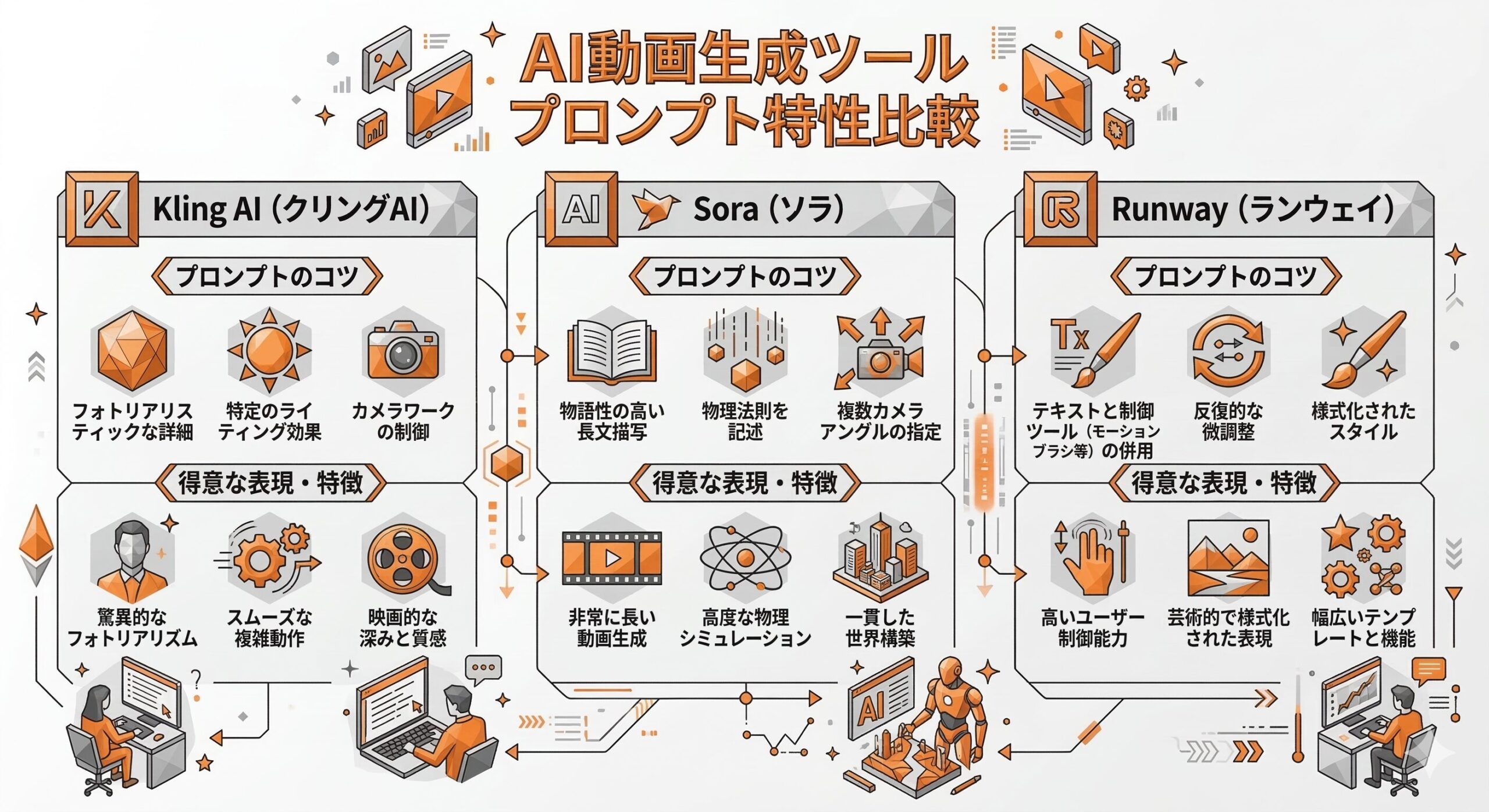
Kling AI向けプロンプトのコツ
- 日本語でも対応可能(品質は英語がやや高い)
- 「カメラワーク」の指定に特に敏感に反応する
- 「high quality」「cinematic」を末尾に付けると品質が安定する
Sora(OpenAI)向けプロンプトのコツ
- 物理的な動き・重力の表現が得意
- 非常に詳細な描写が可能(500文字以上でも有効)
- 「The camera slowly …」のように一人称で記述するのが効果的
Runway向けプロンプトのコツ
- 短くシンプルなプロンプトの方が品質が出やすい傾向がある
- 参照画像(Image-to-Video)との組み合わせが最も強力
よくある質問(FAQ)
Q1. 日本語と英語どちらのプロンプトが良いですか?
Kling AI以外のほとんどのツールは英語の方が品質が高い傾向があります。DeepLやChatGPTで翻訳してから使うのが現実的です。
Q2. プロンプトは長い方が良いですか?
必ずしもそうではありません。4要素が揃っていれば30〜80語程度が最適です。
Q3. 思い通りの動画が生成されない場合は?
まず同じプロンプトで3〜5回再生成してください。それでも改善しない場合は「外れた要素」を変更して再試行します。
まとめ
- AI動画プロンプトの基本は「被写体+動き+カメラワーク+スタイル」の4要素
- カメラワーク指定(drone shot、slow motion等)を入れるだけで映像がプロ品質に
- 同じプロンプトで複数生成してベストを選ぶのが最も効果的
- ツールごとにプロンプトの効果が異なる
コメント